Jump to Sections Covered in This Article
🗞️ Paper 🗞️
Installing a resource pack in PaperMC is straightforward! First, download the resource pack you want to use. In this example, we will download the Faithful texture pack. Ensure you have the direct download link, which in this case is here.
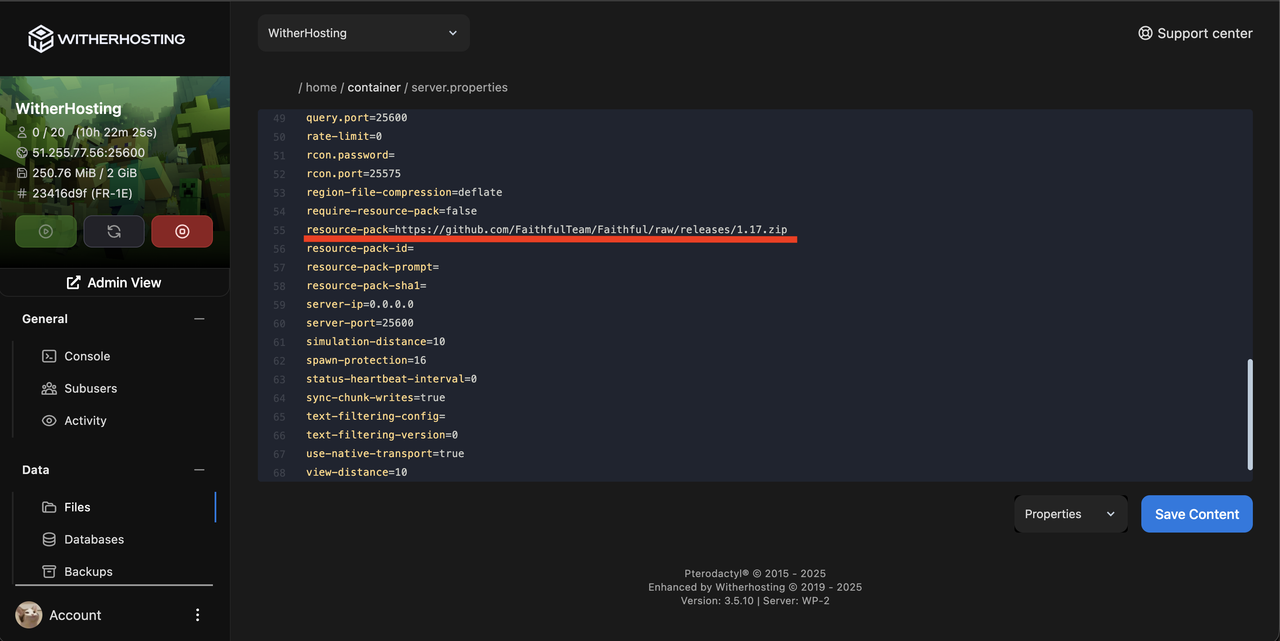
Next, go to WitherPanel, open your server.properties file, and locate the resource-pack setting. Paste the link and then click save.
Now, we need a hash for this resource pack. The hash verifies the validity of the pack. Use a tool like Online MD5, upload your resource pack, and get your hash.
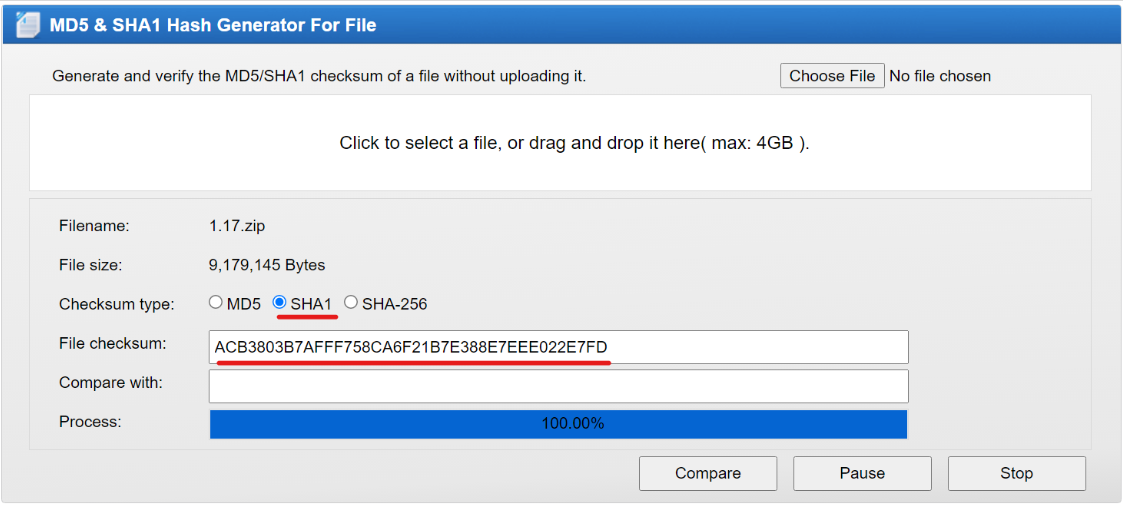
Copy the hash and paste it into the resource-pack-sha1 setting in server.properties.
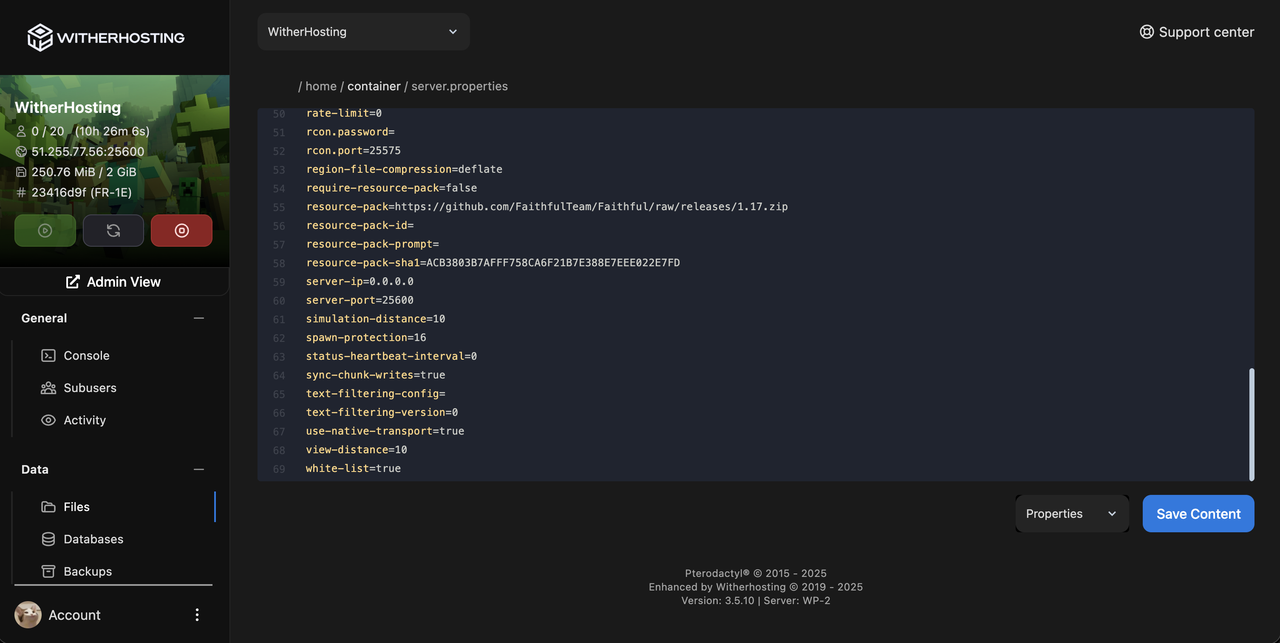
Once done, restart your server, and the resource pack will be applied!
🛏️ PMMP/Nukkit 🛏️
First, ensure you have a pack ready to download. For this example, we will use the Bedrock Tweaks resource pack, available here. Once downloaded, you'll have a .mcpack file. Upload this pack to your resource_packs folder. Restart your server, and a resource_packs.yml file will appear.
Restart your server again, and the resource pack will be applied!
For Nukkit, the resource_packs.yml file is not required, and your pack should be applied immediately.
🤍 Vanilla Bedrock 🤍
Setting up resource packs in Vanilla Bedrock is a bit different. It cannot accept resource packs directly on the server. Instead, you need to load a singleplayer world with the resource pack and then export that world to the server. Here’s a step-by-step breakdown:
- Download the Bedrock Tweaks pack and double-click the
.mcpack file to load it into Minecraft. You’ll see "import started" and the pack will be added to your game.
- Create a new world, go to the add-ons section, and activate the pack.
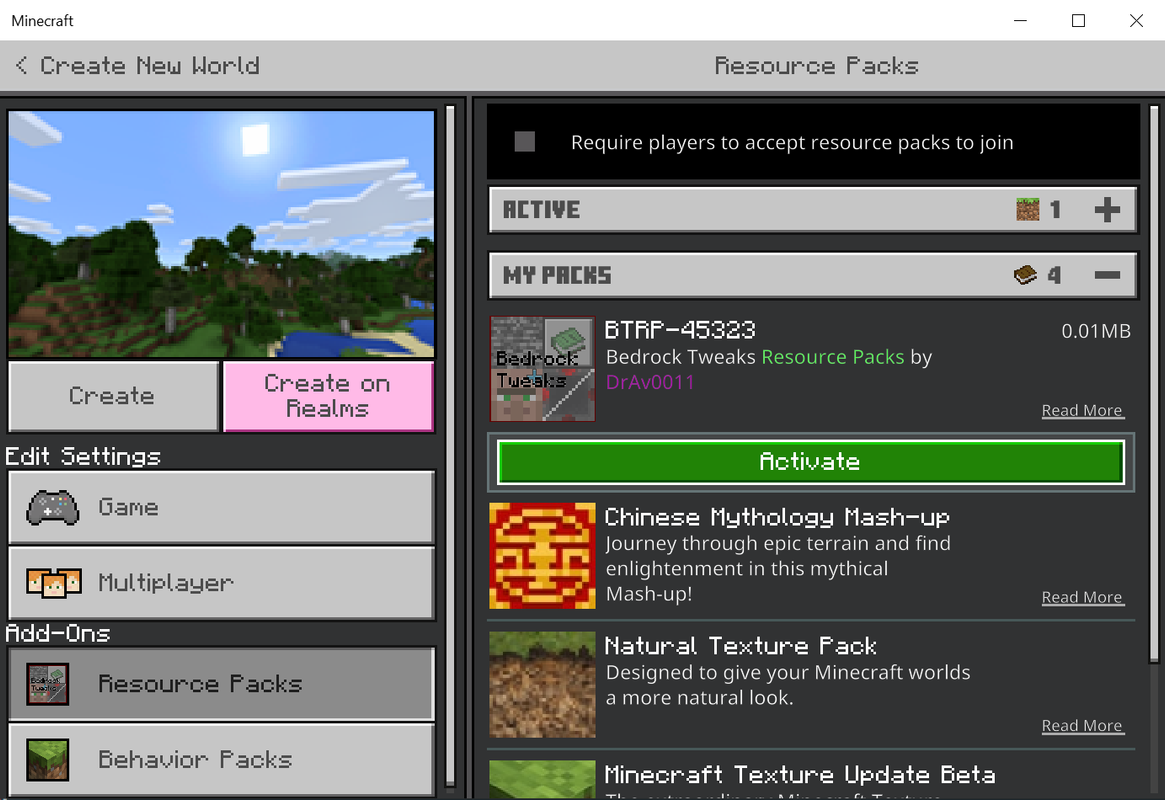
- Save and exit Minecraft. Locate your world file using this guide. For Windows 10, navigate to the directory where your files are stored. The folder name will vary, but you can check the
levelname.txt file to find the correct world.
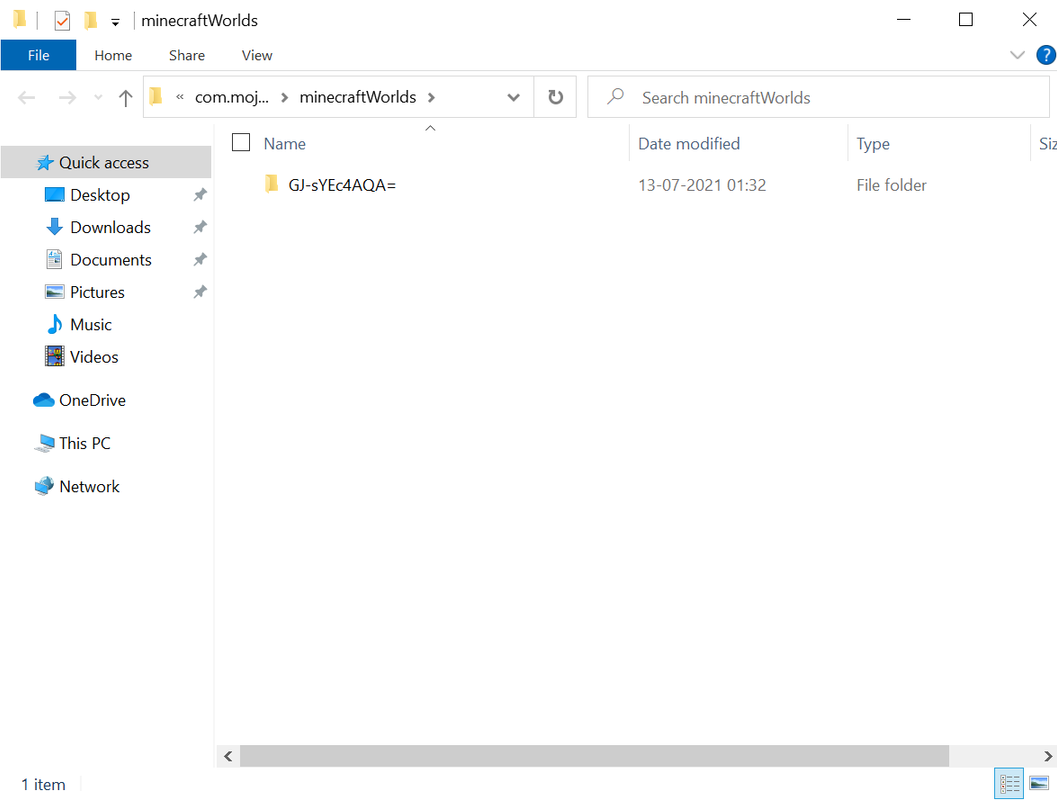
- Zip the world file for uploading to the server. Upload the world to your
/home/container/worlds path. Unarchive the zip file and note the name.
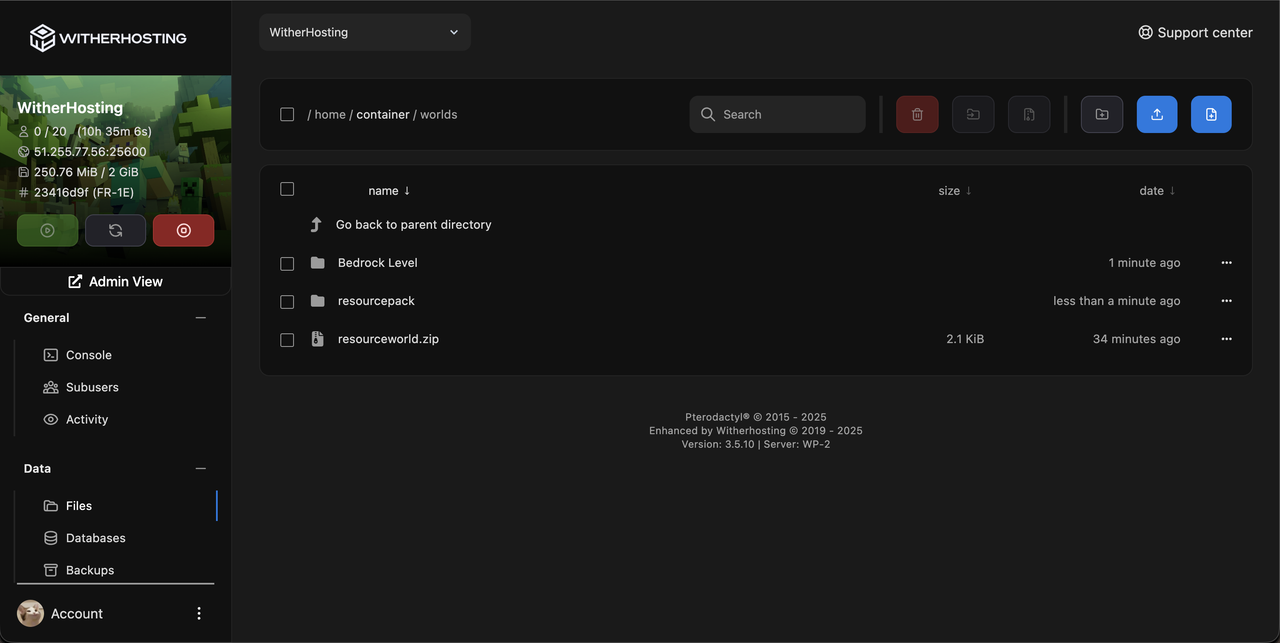
- Go to your
server.properties file and choose to load the world resource pack.
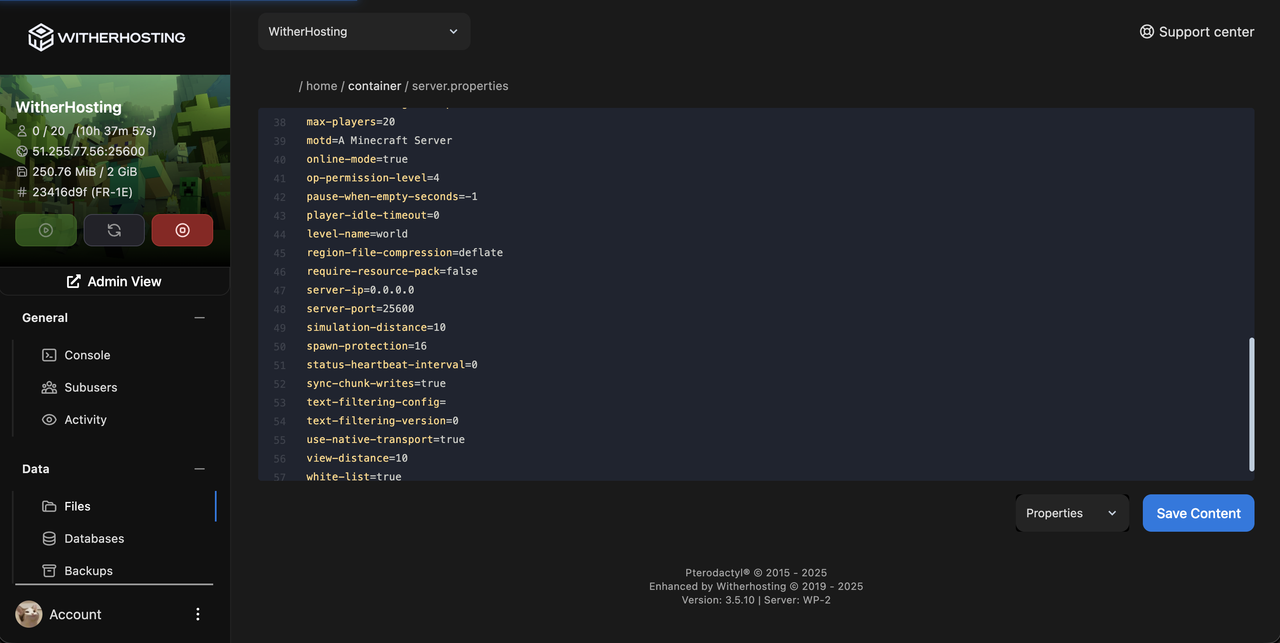
- Restart your server, and the resource pack will be applied!
♨️ Geyser ♨️
To add resource packs to your Geyser server, upload a Bedrock texture pack to the plugin's packs folder. Geyser will automatically convert your resource pack to be readable on Bedrock Edition. Note that the pack will only apply to players connected through the Geyser proxy. You will need a separate pack for other players. Geyser also offers a tool to help you convert Java resource packs to Bedrock-readable ones at this link. Note that it does not work on 1.17 servers.
Updated on: 11/02/2025