📌 What's Your Server IP? 📌
You can find your server IP on WitherPanel. Simply select your server from the list, and you'll see your server information, including the IP address. The IP address is highlighted in red.
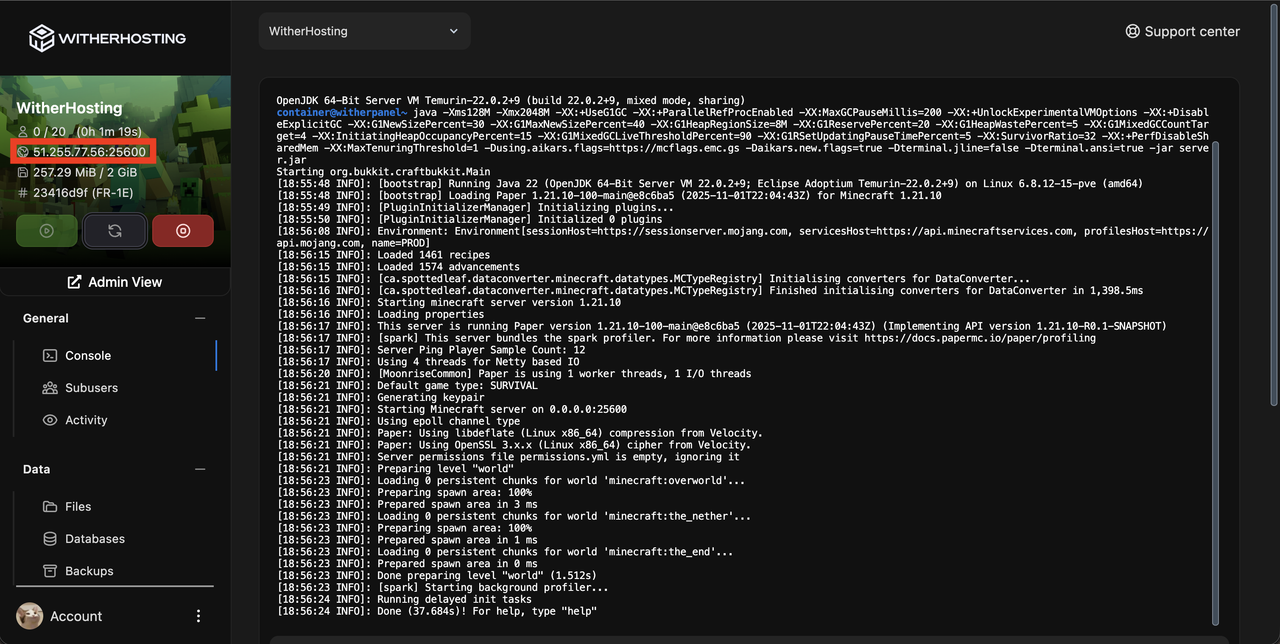
In our example, the IP is 51.255.77.56:25600.
The server IP format is IP:PORT, where the IP is 51.255.77.56 and the port is 25600.
For Java Edition, when adding a server, use the server IP as 51.255.77.56:25600.
If you want to remove the 25600 part, you'll need a dedicated IP.
For Bedrock Edition, when adding a server, use the server IP as 51.255.77.56 and the port as 25600.
Please note that your server may not have the same IP and port as mentioned above. Check your own IP on the console page and use those details.
♨️ Java Edition ♨️
Joining on PC
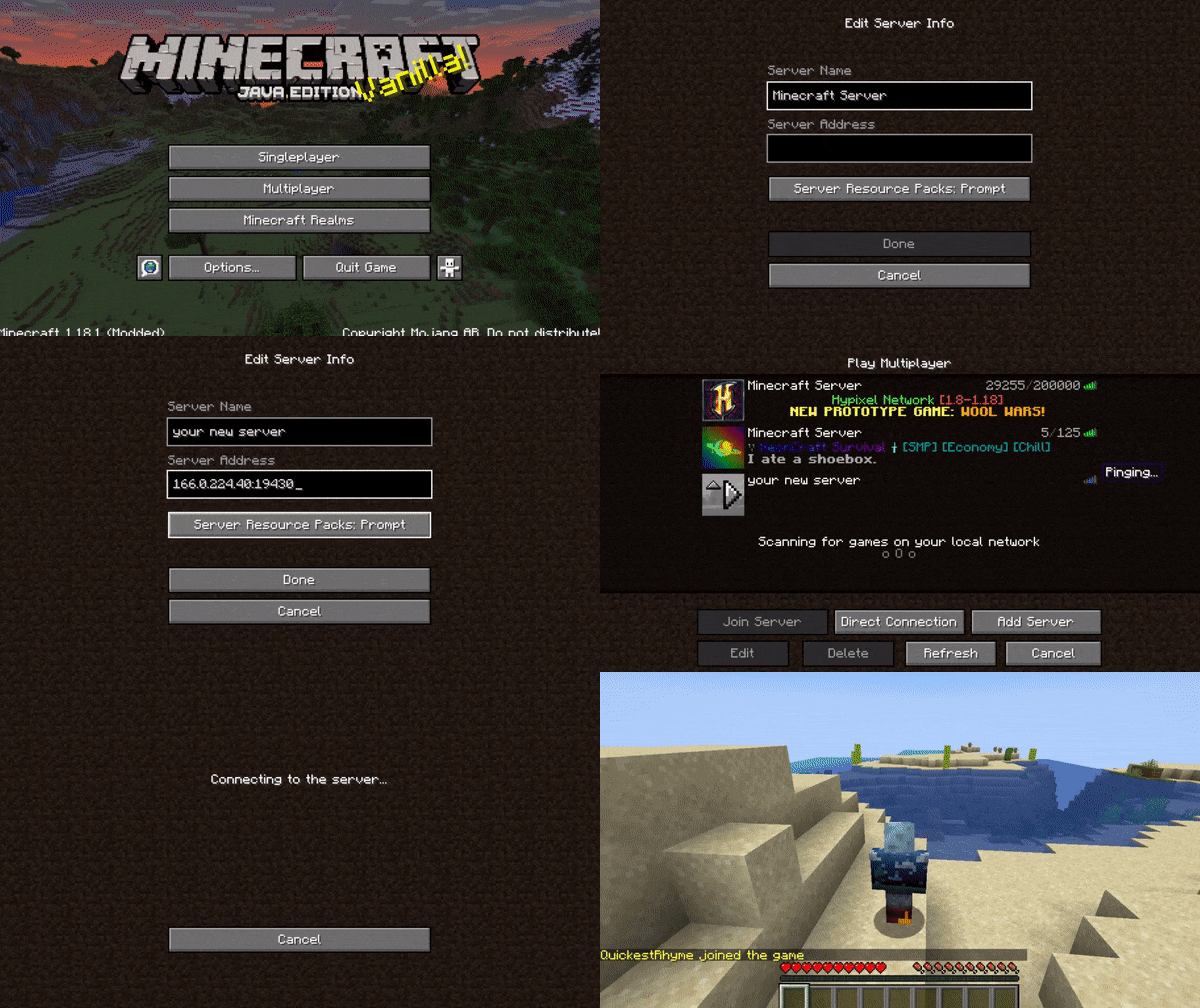
Joining on PC is straightforward! Simply click the "Add server" button and fill in the relevant details.
🛏️ Bedrock Edition 🛏️
Joining on Windows 10
Joining on Windows 10 is also easy! Navigate to the play tab, then servers, and add external servers.
Joining on Consoles
On Minecraft Bedrock Edition, players on Xbox One, Nintendo Switch, and PS4 are limited to playing on 'Featured Servers' approved by Mojang/Microsoft. These players cannot join servers via an IP/address. BedrockConnect is a solution for Bedrock Edition players on Xbox One, Nintendo Switch, PS4 to join any server IP while having access to a server list. It requires a few changes to settings but no downloads.
Here are tutorials to set it up yourself. It only takes a few minutes.
Make sure to follow the videos carefully. If you encounter issues, refer to the troubleshooting page here for further assistance.
Updated on: 11/02/2025